
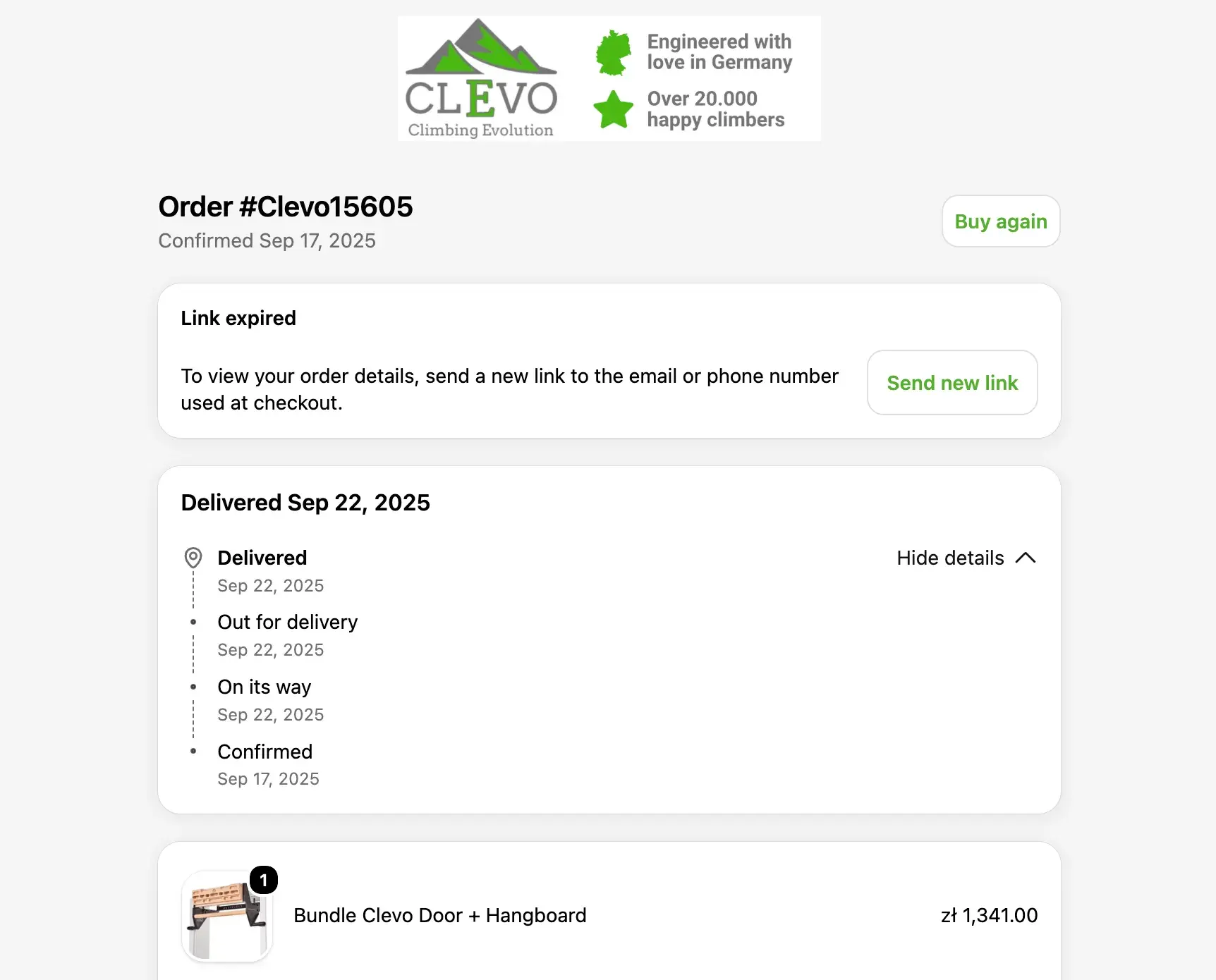
In the modern digital landscape, the distinction between a customer’s frustration and their long-term loyalty often boils down to a single, automated message. Transactional emails—the automated notifications triggered by specific user actions—serve as the connective tissue between a business and its user base. Whether it is a password reset, a shipping update, or an order receipt, these messages are not merely administrative; they are the bedrock of digital trust.
As organizations scale, the management of these communications becomes increasingly complex. This guide explores the mechanics, strategic importance, and technical requirements of transactional email, providing a blueprint for businesses looking to optimize their customer experience.

Understanding Transactional Email: The Core Fundamentals
At its simplest, a transactional email is a one-to-one operational message generated by a system event. Unlike marketing campaigns, which are designed to persuade a broad audience to perform a new action, transactional emails are reactive. They respond to a commitment already made by the recipient.
Because these emails provide necessary, expected, and timely information, they consistently achieve higher open rates than their promotional counterparts. However, this reliability is fragile. If a transactional email arrives late, is poorly formatted, or fails to deliver entirely, it can trigger a support ticket or, worse, a loss of customer confidence.

Marketing vs. Transactional: Why Infrastructure Matters
A common pitfall for growing businesses is failing to separate marketing and transactional infrastructures. Marketing emails are prone to volume spikes, bounces, and potential spam complaints. If your password reset emails share the same IP address or domain reputation as your promotional blasts, a spike in marketing-related complaints could inadvertently land your critical system notifications in the junk folder.
Large-scale email providers, including Yahoo and Gmail, strongly advocate for the separation of these streams. By using distinct IPs or DKIM domains for transactional traffic, businesses ensure that their operational messaging remains insulated from the volatility of marketing campaigns.

The Customer Journey: Transactional Touchpoints
Transactional emails must be mapped carefully across the customer lifecycle to provide maximum utility.
1. Account and Security Notifications
From the moment a user signs up, security notifications—such as two-factor authentication codes and login alerts—serve as the primary gatekeepers of trust. These emails should be concise, providing the "who, when, and where" of an event. For example, a login alert should include the approximate location and device type to help users distinguish between a legitimate login and a potential security breach.

2. Orders, Billing, and Renewals
These messages represent the financial backbone of the customer relationship. An order confirmation should clearly outline the purchase, the next steps in the fulfillment process, and contact information for support. Renewal reminders, when handled transparently, can significantly reduce churn by giving users adequate notice to manage their subscriptions.
3. Shipping and Service Updates
Post-purchase communication is vital. When an order is delayed or an item is out of stock, an automated, proactive update can turn a potential negative experience into a demonstration of operational excellence. Providing clear tracking links and offering immediate solutions—such as a partial refund or cancellation—prevents the customer from having to reach out to a support agent, thereby reducing overhead costs.

Technical Orchestration: Building a Robust CRM Stack
Setting up a sophisticated transactional email system requires a seamless handshake between CRM data and the messaging platform.
Defining the Trigger and Data Source
The first step in any robust setup is identifying the "source of truth" for the trigger. For instance, a payment receipt should only be dispatched after a payment processor (like Stripe) confirms the transaction. The system must be configured to pass the correct variables—currency, amount, and receipt ID—into the email template, ensuring that the message is accurate and personalized.

Selecting the Sending Path
There are generally three paths for sending:
- Direct API: Best for time-sensitive, low-latency messages like OTPs (One-Time Passwords).
- SMTP Relay: Useful for legacy applications that need to send emails without rebuilding their entire internal architecture.
- Workflow Automation: Ideal for complex, multi-step sequences where the CRM (like HubSpot) manages the logic and branching of the message.
Deliverability Checklist: Ensuring the Inbox Arrival
The 2026 industry research from Sinch Mailgun indicates that nearly 18% of emails fail to reach the inbox. In the context of transactional messages, this is a business-critical failure.

Authentication Standards
Before sending a single production email, businesses must implement the "Big Three" of email security:
- SPF (Sender Policy Framework): Specifies which IP addresses are authorized to send email on behalf of your domain.
- DKIM (DomainKeys Identified Mail): Adds a digital signature to emails, verifying that the message was not altered in transit.
- DMARC (Domain-based Message Authentication, Reporting, and Conformance): Provides instructions to receiving servers on how to handle emails that fail SPF or DKIM checks.
Gmail and Outlook have recently tightened these requirements; failing to meet them can result in immediate blacklisting for high-volume senders.

Monitoring and Reputation
Performance metrics should be tracked per message type. If a specific template, such as a "Password Reset," shows a sudden spike in bounces, it suggests a technical breakdown in the trigger mechanism. By configuring a status event for every message—recording the ID, trigger, and result—developers and marketers can maintain a comprehensive audit trail to troubleshoot issues before they escalate.
Design Principles: Putting the Message First
When a user is waiting for a confirmation, they are not looking for a creative marketing campaign. They are looking for information.

Lead With the Facts
The subject line is the most important element of a transactional email. It should identify the event and its status immediately—e.g., "Payment Confirmed" or "Your Account Update." Inside the email, the most crucial details (the "above the fold" content) should include the primary status, the call-to-action (CTA), and the support route. Secondary links, such as social media icons or cross-sell items, should never distract from the primary objective.
Mobile-First Accessibility
Responsive design is non-negotiable. Using single-column layouts ensures that the information stacks correctly on smaller screens. Additionally, accessibility features—such as descriptive alt-text for images and maintaining a 4.5:1 contrast ratio for text—ensure that every user can access their vital information regardless of their device or personal requirements.

Compliance and Regulatory Considerations
Transactional emails are generally exempt from the strictest "unsubscribe" requirements of the CAN-SPAM Act, provided they remain strictly operational. However, the legal landscape is shifting.
The "Mixed-Content" Trap
If a company chooses to include a promotional cross-sell within a transactional email, the nature of the message may legally shift from "transactional" to "commercial." Under FTC guidance, if the promotional content or the subject line suggests a commercial intent, the sender may be required to provide an opt-out link. For global organizations, the safest approach is to keep promotional material entirely separate from operational notifications to avoid violating strict regulations like the UK’s PECR or international GDPR requirements.

Measuring Success: Key Performance Indicators (KPIs)
To manage a successful transactional email program, leaders must look beyond simple delivery rates.
- Latency: How long does it take from the user action to the email delivery? For security codes, this should be measured in seconds.
- Inbox Placement vs. Spam Folder: Monitoring where your emails land across different mailbox providers is critical.
- Action Completion Rate: If a user is sent a "verify email" notification, the percentage of users who complete that action is the ultimate metric of success.
- Error Rates: Tracking hard bounces and block rates by mailbox provider helps identify if your domain reputation is being compromised by technical configuration errors.
Implications for Future Growth
As digital ecosystems become more integrated, the line between product and marketing continues to blur. The most successful organizations are those that treat transactional email as a product feature rather than a marketing task.

By investing in robust infrastructure, rigorous authentication, and user-centric design, businesses can ensure that every automated touchpoint reinforces their brand promise. When a user feels that a company is reliable, prompt, and transparent in its communication, that trust translates directly into higher retention rates, lower support costs, and a more resilient business model.
Ultimately, the best transactional email strategy is one that becomes invisible—it works so perfectly that the customer never has to think about the technology behind it. It simply arrives, informs, and serves.