The landscape of professional productivity is shifting beneath our feet. As generative AI moves from being a novelty to an integrated utility, the race to own the "office suite" of the future has intensified. OpenAI, the architect behind the viral sensation ChatGPT, has officially entered the ring with a direct challenge to Google Slides: the introduction of ChatGPT Slides.
This new feature, designed to automate the creation of PowerPoint-style decks directly from conversational prompts, marks a significant milestone in OpenAI’s roadmap. However, as the tool rolls out to the highest-paying tiers of users, the question remains: is it a true disruptor, or just another AI experiment in a crowded field?

The Core Facts: What is ChatGPT Slides?
At its most basic level, ChatGPT Slides is an integrated presentation builder embedded within the ChatGPT ecosystem. Unlike previous iterations where AI could only generate an outline or suggest text, this tool creates a visual deck, complete with layout, image placement, and structured bullet points.
The rollout is currently tiered. For those subscribed to the "Pro" level—an enterprise-grade tier priced at $100 per month—the tool offers a dedicated interface for crafting presentations. For users on the free plan or the $20-a-month "Plus" subscription, the experience is more restricted. While these users can still leverage ChatGPT to generate downloadable PowerPoint files, they lack the native, in-app editing and collaborative features that define the Pro version.

OpenAI’s strategy is clear: they are building a vertical integration of productivity tools. With "Pages" (a word processor) already live for Pro users and a spreadsheet application reportedly in development, the company is aiming for total user retention. The goal is to move the user from a browser tab in Google Workspace to a dedicated, AI-native environment where documents, data, and decks exist in a single, cohesive workflow.
A Chronological Look at the Rise of AI-Assisted Slides
The integration of generative AI into office software has been a rapid, breathless evolution. To understand where we are, we must look at how we arrived here:

- Early 2023: Generative AI enters the mainstream. Users begin using ChatGPT to brainstorm presentation outlines, which they then manually copy-paste into PowerPoint or Google Slides.
- Mid-2024: Google launches Gemini integration within its Workspace suite. Suddenly, the "Help me create" button becomes a standard feature in Google Slides, allowing for AI-generated layouts and themes.
- Late 2025: OpenAI begins testing internal document-creation tools. The focus shifts from text-generation to file-generation, as users demand more than just raw data.
- October 2026: ChatGPT Slides officially hits the Pro tier. This move signals a pivot from being a chatbot to becoming an all-in-one productivity suite, challenging Microsoft and Google on their home turf.
Testing the Capabilities: Real-World Performance
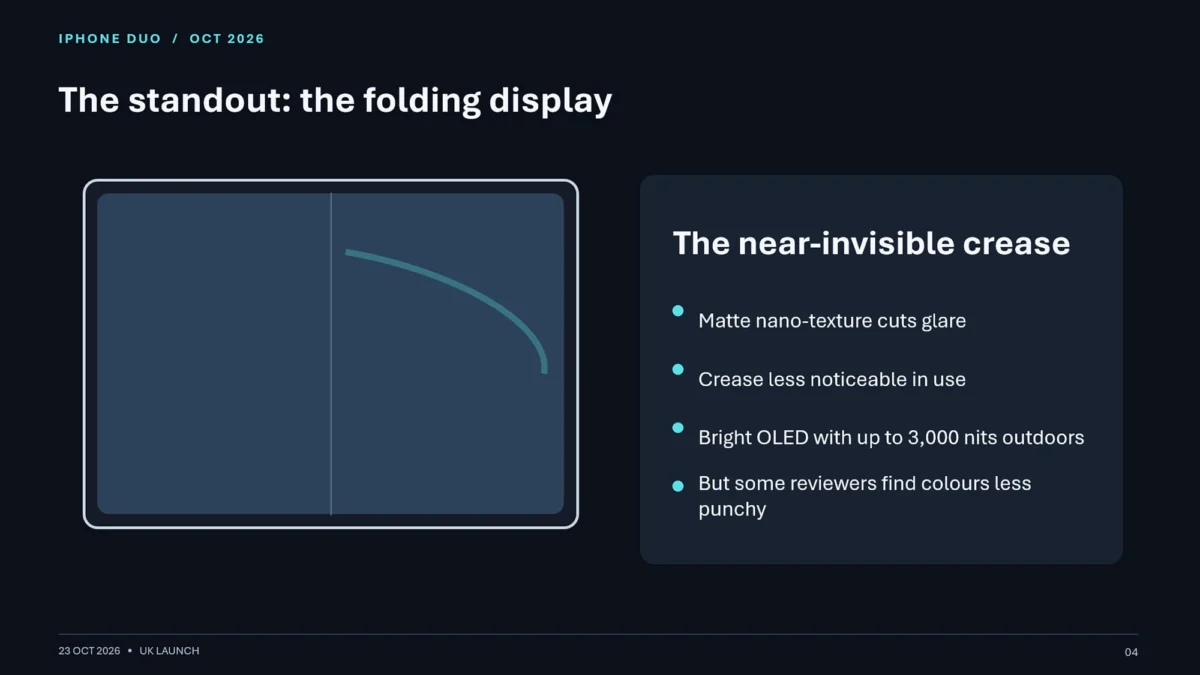
To evaluate the maturity of these tools, I put both ChatGPT Slides and Google’s Gemini-powered Slides to the test. The subject was the hypothetical "iPhone Duo," a device that required synthesizing complex specs and public reception data into a professional presentation.
The ChatGPT Experience
On the $20/month "Plus" tier, the output was competent but rudimentary. It functions similarly to a high-end template engine. It handled basic bullet points well, but required explicit prompting to include imagery. The limitation here is the lack of "feel"—the slides felt like an algorithm’s best guess at structure rather than a narrative flow.

On the "Pro" tier, the experience is noticeably more refined. The tool provides a dedicated workspace where users can drag and drop elements, resize boxes, and request specific visual modifications via prompt. While the UI can occasionally feel buggy, the end result is a cohesive deck that requires significantly less manual cleanup than the "Plus" version.
The Google Gemini Experience
Google’s advantage remains its tenure. Gemini, integrated into the decade-old Google Slides infrastructure, understands the context of a presentation better than a new-to-market tool. It asked clarifying questions about audience and visual style—a small touch that adds massive value. However, it suffered from "AI hallucinations," including factually incorrect data on screen brightness and the generation of bizarre, nonsensical imagery of the device itself.

Supporting Data and Comparative Analysis
| Feature | ChatGPT Slides (Pro) | Google Slides + Gemini |
|---|---|---|
| Interface | Minimalist, Prompt-First | Traditional, Menu-Driven |
| Collaboration | Emerging / Limited | Mature, Industry-Standard |
| Visual Accuracy | High (uses actual web assets) | Variable (prone to hallucinations) |
| Integration | Standalone Ecosystem | Deeply embedded in Workspace |
| Cost | High ($100/mo) | Moderate ($20/mo add-on) |
The data suggests that while OpenAI has the edge in raw content retrieval (pulling official images from websites rather than hallucinating them), Google has the edge in formatting and existing software maturity. For a business user, the ability to share a link via Google Drive and have five colleagues edit simultaneously remains a "killer feature" that ChatGPT has yet to fully replicate.
Official Responses and Strategic Shifts
OpenAI has remained relatively quiet on the specific roadmap for lowering the price barrier. Their current stance is that the $100 Pro tier is the "innovation incubator." By keeping the most advanced tools behind a high paywall, they are likely observing how power users break, use, and abuse the tools before a general rollout.

Conversely, Google’s strategy is one of defensiveness and scale. By making Gemini available to millions of existing Workspace users, they are banking on friction-less adoption. If the tool is already there, users will use it—even if it occasionally makes mistakes. They are prioritizing the "ecosystem effect" over the "perfection effect."
Implications for the Future of Work
The rise of these tools implies a fundamental change in the role of the knowledge worker. We are moving away from the era of "deck building" and toward an era of "deck editing." The heavy lifting of research, layout, and image placement is being outsourced to the machine.

However, the "uncanny valley" of AI-generated presentations remains a hurdle. A human presenter needs a flow—a narrative arc that connects the intro to the conclusion. Current AI tools often generate slides that are statistically correct but emotionally and logically disconnected. They lack the "human touch" that separates a standard slide deck from a persuasive, narrative-driven pitch.
Will the Tools Replace Human Designers?
Not yet. The most successful presentations produced in these tests were the ones where the human took the AI output and spent 20 minutes refining the layout. The AI provides the "skeleton," but the human provides the "muscle." As these tools evolve, the role of the designer will shift toward that of an "editor-in-chief," curating the AI’s output rather than building from scratch.

Final Verdict: Is It Time to Switch?
For the vast majority of users, the answer is a firm "no." If you are already paying for Google Workspace, the Gemini integration is sufficient, accessible, and deeply integrated into your existing workflow. The cost of jumping to an OpenAI Pro subscription just for the slideshow features is difficult to justify for the average professional.
However, for those already deep in the OpenAI ecosystem—those who rely on ChatGPT for coding, data analysis, and writing—ChatGPT Slides is a natural, albeit expensive, extension. It is a powerful tool for the "quick and dirty" presentation, allowing you to turn a long, complex chat into a summary deck in seconds.

The battle for the boardroom has only just begun. As OpenAI refines its collaborative features and Google works to curb AI hallucinations, the gap between these two titans will likely narrow. For now, we are in a transition phase: the technology is impressive, often helpful, but still requires a human hand on the wheel to ensure the final product doesn’t just look the part, but actually makes sense.