
In the fast-paced world of digital marketing, time is the most valuable currency. When a high-priority product page slips in search rankings, or a client’s conversion rate takes an unexpected nosedive, you don’t have the luxury of waiting hours for a site-wide crawl to finish. You need actionable intelligence immediately.
For many SEO professionals, the answer lies in a streamlined diagnostic workflow using SEOquake, the free Chrome extension developed by Semrush. By leveraging this tool, you can transition from initial triage to a comprehensive diagnosis in just three minutes. This guide explores how to master this workflow, providing a systematic approach to identifying and prioritizing technical and on-page SEO issues.

What Is SEOquake?
SEOquake is a robust browser extension designed to act as an "always-on" SEO assistant. It provides a real-time audit of any webpage’s technical signals, on-page SEO health, backlink strategies, and core search metrics.

Unlike enterprise-grade site crawlers that require complex setup and significant time to process thousands of URLs, SEOquake operates at the page level. By installing the extension and clicking the icon while on any live URL, you gain instant access to a suite of analytical tools that help you identify why a page might be underperforming.

The Diagnostic Philosophy: Color-Coded Efficiency
The brilliance of the SEOquake interface lies in its simplicity. Throughout every report, the extension uses a color-coded system to signal the severity of issues:

- Green: Indicates that the element meets current SEO best practices.
- Orange: Signals a warning. While not necessarily a "blocker," these elements require human judgment to determine if they are impacting performance.
- Red: Highlights critical errors that likely require immediate attention to prevent search visibility loss or poor user experience.
By focusing your attention on red and orange flags, you can filter out the "noise" and focus on the technical or structural elements that directly impact your ROI.

Chronology of an Audit: From Triage to Diagnosis
A successful diagnostic workflow is defined by its structure. To maintain efficiency, the process is divided into three distinct phases: Triage (Minute 1), Deep-Dive Diagnosis (Minutes 2–3), and Actionable Planning.

Phase 1: Triage (The First 60 Seconds)
The first minute is about broad strokes. When you open the SEOquake Quick View pop-up, your goal is to answer one fundamental question: Is there an obvious, high-impact issue preventing this page from ranking or converting?

The Quick View interface provides five primary tabs, but for a rapid triage, you should focus on:

- Page Info: A high-level scan of key elements like Title Tags, Meta Descriptions, and Canonical URLs.
- Audit: A snapshot of technical SEO essentials.
- Content: A structural analysis of headings and image optimization.
Prioritizing the Scan:
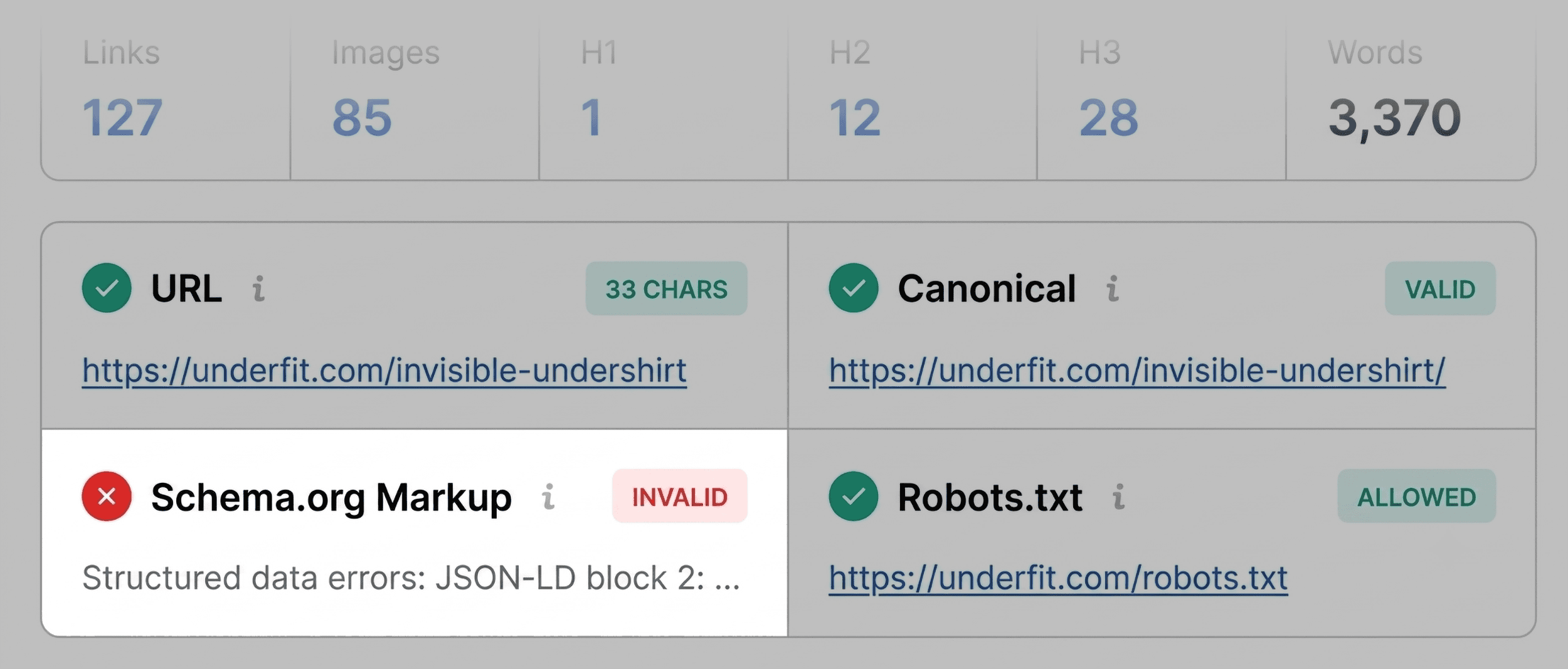
During this phase, don’t overthink individual metrics. Look for "red" flags. For example, in a recent audit of an UnderFit product page, SEOquake flagged Schema.org markup in red. The diagnosis was clear: JSON-LD errors were present, which could strip the page of rich results—like star ratings and pricing—in search results. This discovery is a "must-fix" item that moves directly to the top of your to-do list.

Phase 2: The Full Report (Minutes 2–3)
Once the triage has identified the "what," the Full Report provides the "why." By clicking "View Full Report," you unlock six detailed panels: Summary, Diagnosis, Comparison, Internal Links, External Links, and Density.

1. Investigating Technical Issues
The Audit panel is the heart of the diagnostic phase. It covers crawlability, indexation, mobile compliance, and sitemap health. If your triage found an orange warning—such as an improperly linked XML sitemap—the Audit panel will confirm whether the file is reachable or if there is a conflict in the site’s robots.txt file.

2. The Power of "Test in Rich Results"
One of the most powerful features of the SEOquake diagnostic workflow is its integration with Google’s own testing tools. If you encounter schema errors, you don’t need to manually copy the code into a separate browser tab. You can click "Test in Rich Results" directly from the SEOquake report. This triggers an automated validation, providing you with the exact line of code causing the error.

3. Analyzing Content Structure and Density
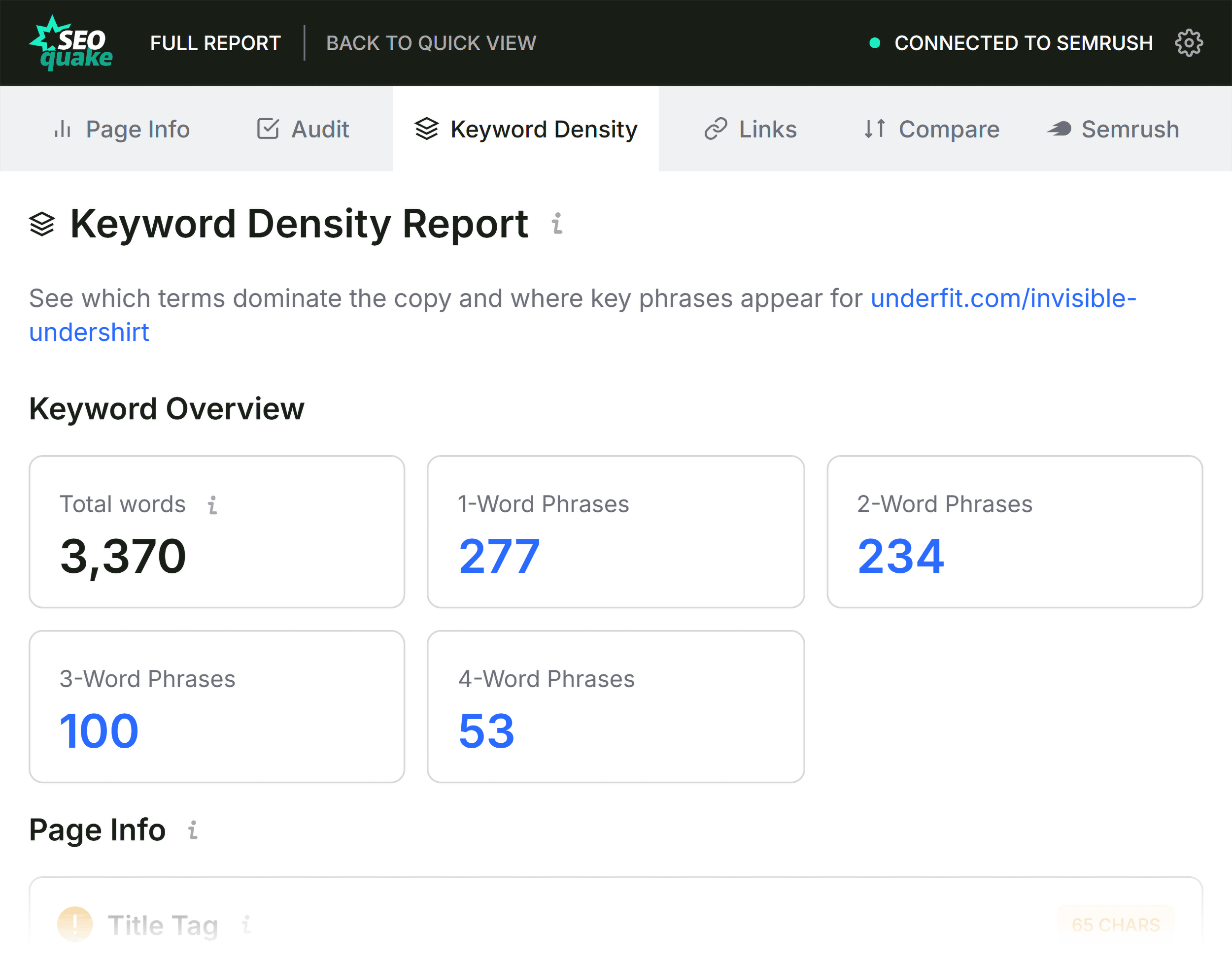
In the Content tab, you can visualize the H1-H6 hierarchy. If you notice a page jumping from an H1 directly to an H4, or if the H1 is placed deep in the page body rather than at the top, you have identified a structural issue that may hinder search engine parsing. Additionally, the "Keyword Density" panel helps ensure that your content is optimized for the correct intent, confirming that terms like "undershirt" or "v-neck" are appearing in the right frequency and location.

Implications: The Decision-Making Matrix
Once you have gathered your data, you must decide on the scope of the fix. This is where the Semrush Panel becomes indispensable.

- Page-Level Fixes: If the metrics show a high-performing domain but a specific page is failing in metadata or image alt-text, the fix is isolated. You can update the CMS, clear the cache, and request a re-index.
- Site-Wide Audits: If your diagnosis reveals missing sitemaps, consistent schema failures across all product templates, or broken internal links that point to deleted categories, you are dealing with a systemic issue.
In these cases, a page-level fix is merely a band-aid. You must transition to a full site crawl using the Semrush Site Audit tool. This allows you to evaluate the issue across all URLs, ensuring that your technical cleanup is comprehensive rather than superficial.

Official Guidance for SEO Professionals
Industry standards dictate that SEO is an iterative process. Using tools like SEOquake is not just about "fixing" a page; it is about establishing a baseline for performance.

Official Recommendations:

- Maintain a Fix-List: Every audit should conclude with a prioritized list of tasks categorized by "High," "Medium," and "Low" impact.
- Verify, Don’t Just Edit: After making changes to title tags, schema, or image alt text, always run the SEOquake audit again to verify that the "Red" or "Orange" status has transitioned to "Green."
- Cross-Reference Data: Use the Semrush connection in SEOquake to compare your page performance against your domain authority. A page that performs poorly despite a strong domain profile is an anomaly that warrants immediate investigation.
Conclusion: The Path to Optimization
The ability to audit a page in three minutes is a superpower for the modern marketer. It allows you to be proactive rather than reactive. By integrating SEOquake into your daily workflow, you stop guessing why a page is underperforming and start implementing data-driven solutions.

As you become more comfortable with this three-minute cadence, you will find that technical SEO becomes less of a daunting hurdle and more of a routine maintenance task. For those looking to take their strategy further, the combination of SEOquake’s immediate page-level insights and the deep-crawling capabilities of the full Semrush suite creates a formidable toolkit for any SEO professional.

Start your audit today. Install the SEOquake extension, pick a page that you know is struggling, and see what the data reveals in the first sixty seconds. The answers you need are likely only a click away.
Backlinko is owned by Semrush. We remain committed to bringing you world-class SEO insights, backed by hands-on experience. Unless otherwise noted, this content was written by either an employee or a paid contractor of Semrush Inc.