
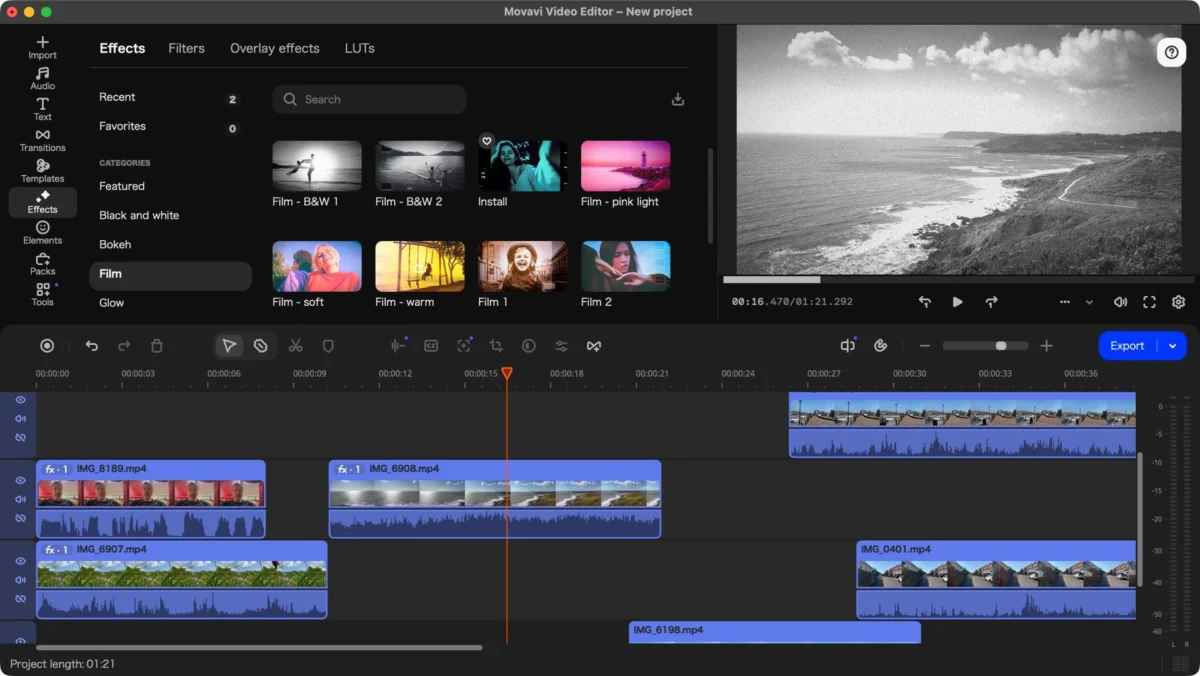
In an era where digital content is the primary currency of the internet, the barrier to entry for professional-grade video editing has never been lower. However, the market remains saturated with software that is either prohibitively expensive or deceptively complex. Movavi Video Editor has long positioned itself as the "Goldilocks" solution for beginners and casual creators—offering enough depth for meaningful projects without the steep learning curve of industry giants like Adobe Premiere Pro or DaVinci Resolve.
With the recent launch of version 27, Movavi is looking to solidify its reputation. By introducing a new "Templates" feature and refining its existing toolset, the company is attempting to balance the need for speed with the desire for creative control. We spent hours putting the latest version through its paces to determine if this update is a meaningful evolution or simply a minor iterative change.
Main Facts: What is Movavi Video Editor 27?
Movavi Video Editor 27 is a consumer-focused, multi-platform video editing suite compatible with both Windows and macOS. It is designed for those who need to produce high-quality content—whether for social media, YouTube, or professional presentations—without spending weeks mastering a non-linear editor (NLE).
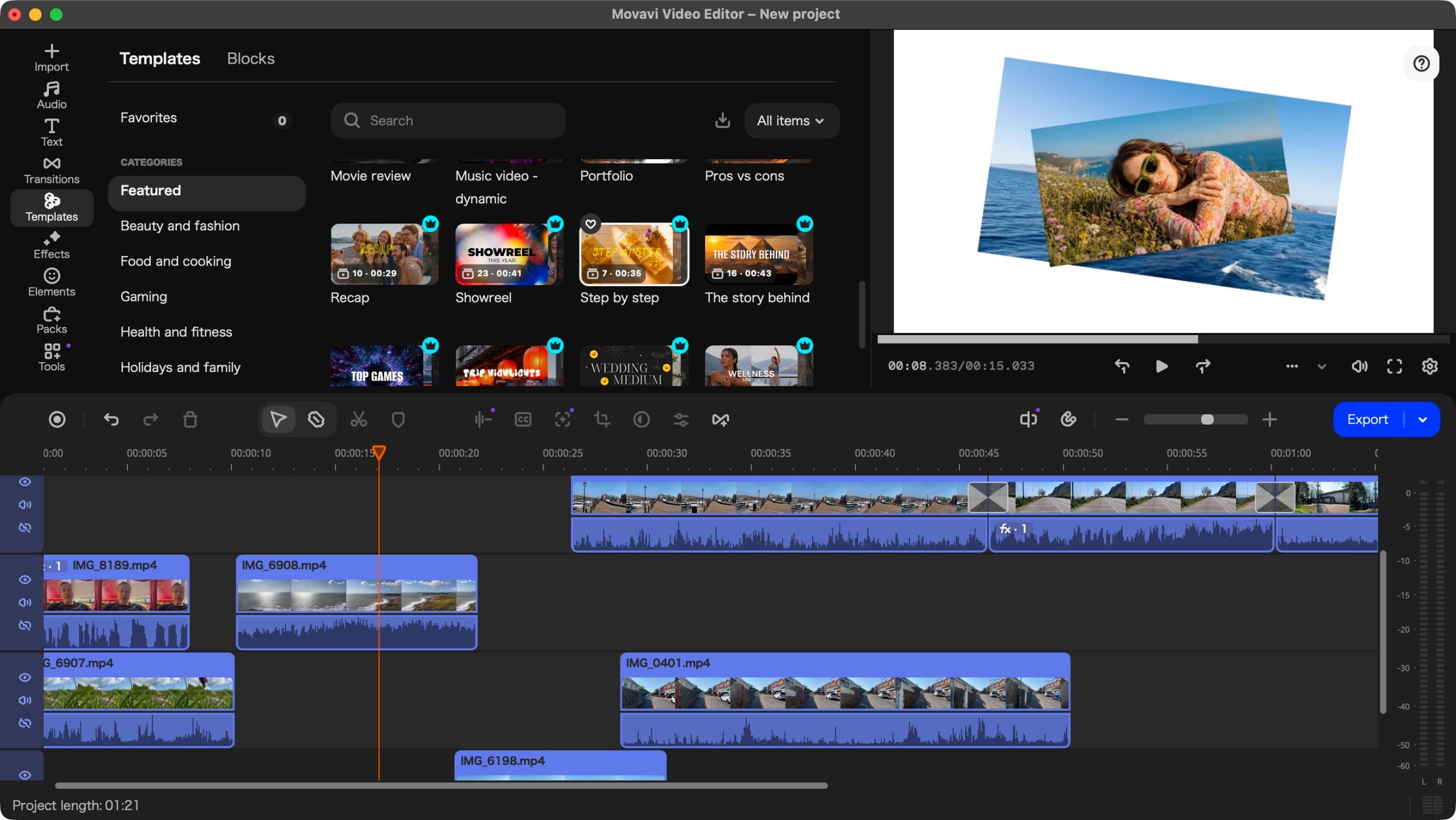
Key Specifications and Features:
- Platform Support: Full support for both Windows and macOS, including native performance on Apple Silicon.
- Pricing: A tiered model offering monthly subscriptions, annual plans, and a perpetual license.
- Core Feature Set: Drag-and-drop interface, multi-layer timeline editing, AI-based subtitle generation, background removal, and integrated image stabilization.
- The "Headliner": The new Templates system, which provides pre-built project structures to expedite the editing workflow.
Chronology: The Evolution of a Beginner’s Staple
Movavi has consistently updated its software on an annual cadence, but the transition from version 25 to 27 marks a significant shift in philosophy.
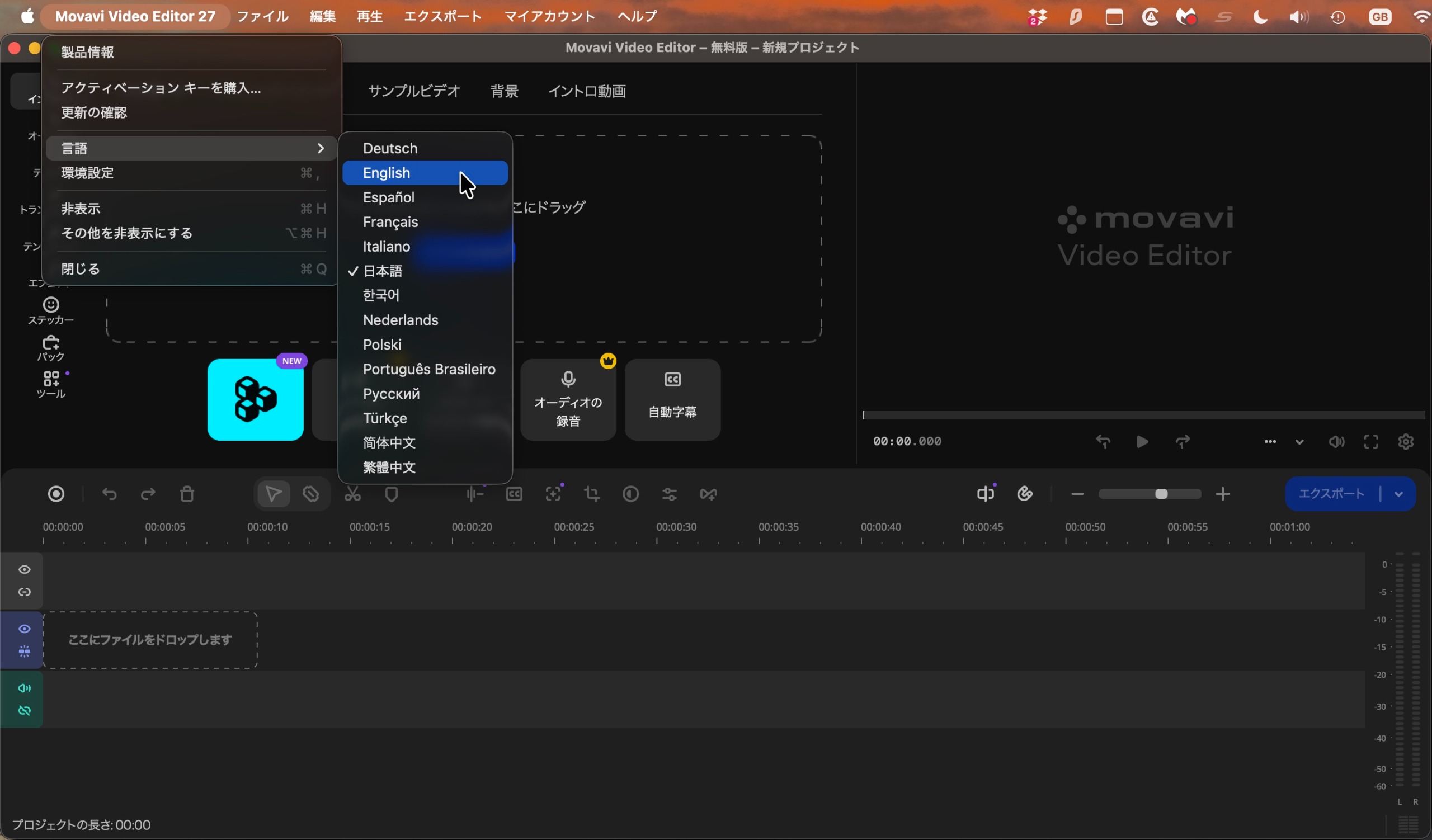
- Version 25: This iteration focused heavily on performance optimizations and the introduction of AI-enhanced tools. While effective, users noted a persistent issue with the software’s initial language settings, which often defaulted to Japanese regardless of the user’s OS language.
- The Present (Version 27): The software has matured significantly in terms of interface responsiveness. While the "language bug" remains an oversight that continues to frustrate some international users, the core editing experience has been smoothed out. The integration of Templates represents the most substantial change, shifting the focus from "manual editing" to "template-assisted storytelling."
Supporting Data: Pricing and Accessibility
In a market where software companies are aggressively moving toward "Software as a Service" (SaaS) models, Movavi’s pricing strategy is a refreshing, albeit complex, mix.
The Cost of Entry
- Monthly Subscription: $20 / €19 / £18.
- Annual Subscription: $55 / €44 / £41. This represents the most economical path for consistent users.
- Perpetual License: Available for $150 / €90 / £90. This is an attractive option for users who dislike the "rent-forever" model, though it is worth noting that major version upgrades may eventually require a new purchase.
Performance Benchmarks
During our testing on a MacBook Pro with Apple Silicon, the software exhibited excellent responsiveness. Scrubbing through high-resolution footage was fluid, and the rendering times for 4K exports were competitive with more expensive professional suites. While it may not handle the massive, multi-camera raw files required by cinema production houses, for the average YouTube vlogger or small business owner, the performance is more than sufficient.
The "Templates" Feature: A Deep Dive
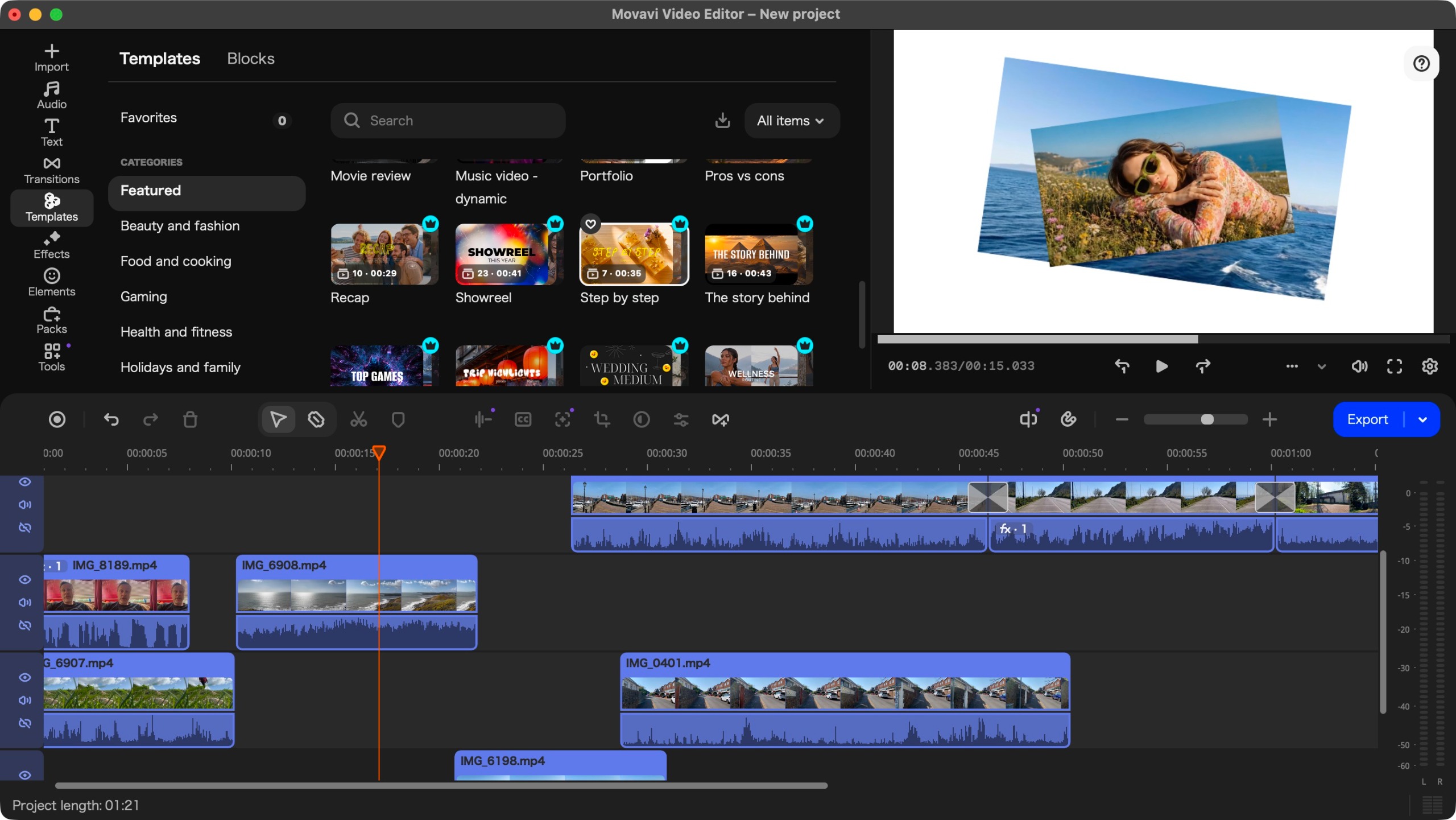
The core innovation in version 27 is the introduction of Templates. For the uninitiated, editing can feel like staring at a blank canvas—a daunting task that often leads to procrastination. Movavi’s Templates function as a "skeleton" for your project.
Versatility and Customization
The system is divided into 12 categories, ranging from Gaming and Beauty to Marketing and Corporate Promos. When you drag a template onto the timeline, it populates with placeholders. The workflow is surprisingly intuitive:
- Selection: You select a template that fits the mood of your project.
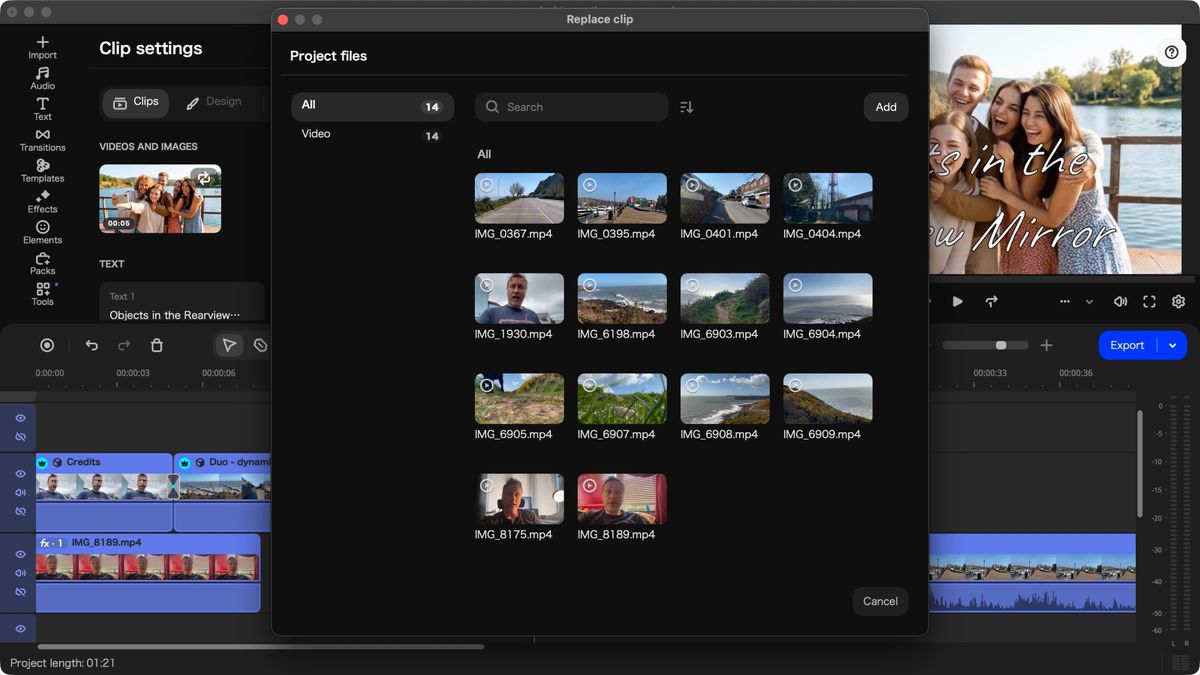
- Replacement: By clicking on the placeholder clips, you can easily swap in your own footage.
- Refinement: You can delete, reorder, or duplicate sections of the template, allowing for a hybrid approach where you use a template for the "structure" and manual editing for the "soul" of the video.
While some elements are locked behind a premium paywall—indicated by a "crown" icon—the inclusion of free templates ensures that even entry-level users can produce polished results. It is important to note that if you accidentally use a premium asset in your edit, the software will inform you upon export, preventing any "hidden fee" surprises.
Official Responses and Known Friction Points
While Movavi has clearly listened to feedback regarding performance, there remain areas for improvement. The most glaring, as highlighted in previous iterations, is the default language initialization. Launching the software to find a interface in Japanese—when your system is set to English—remains a "feature" that feels more like an oversight.
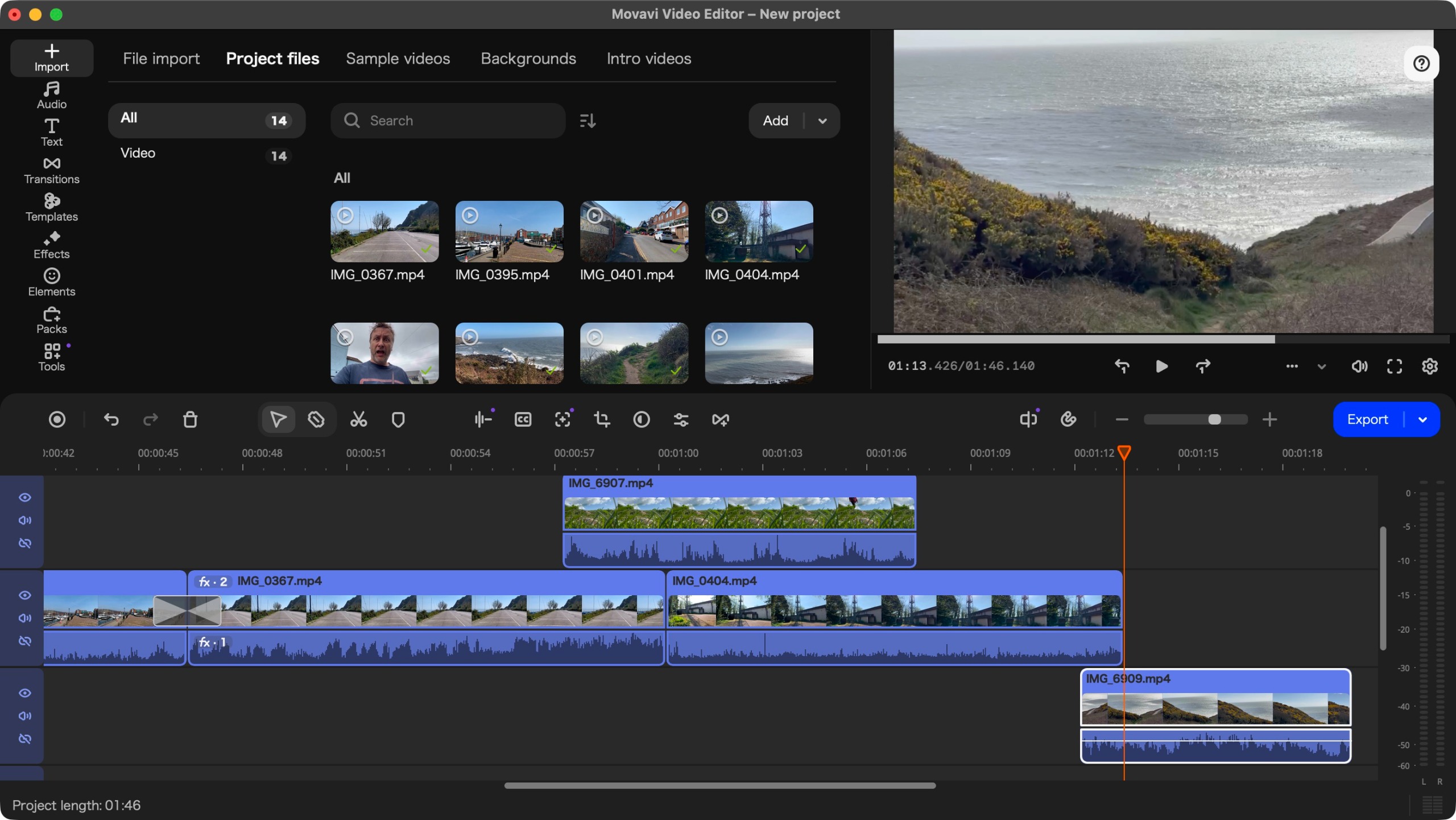
While a quick screenshot to a translation tool resolves this, it is a point of friction that shouldn’t exist in 2024. Furthermore, the base layer constraint—the fact that you cannot add clips beneath the primary track—can feel limiting for creators who enjoy complex compositing.
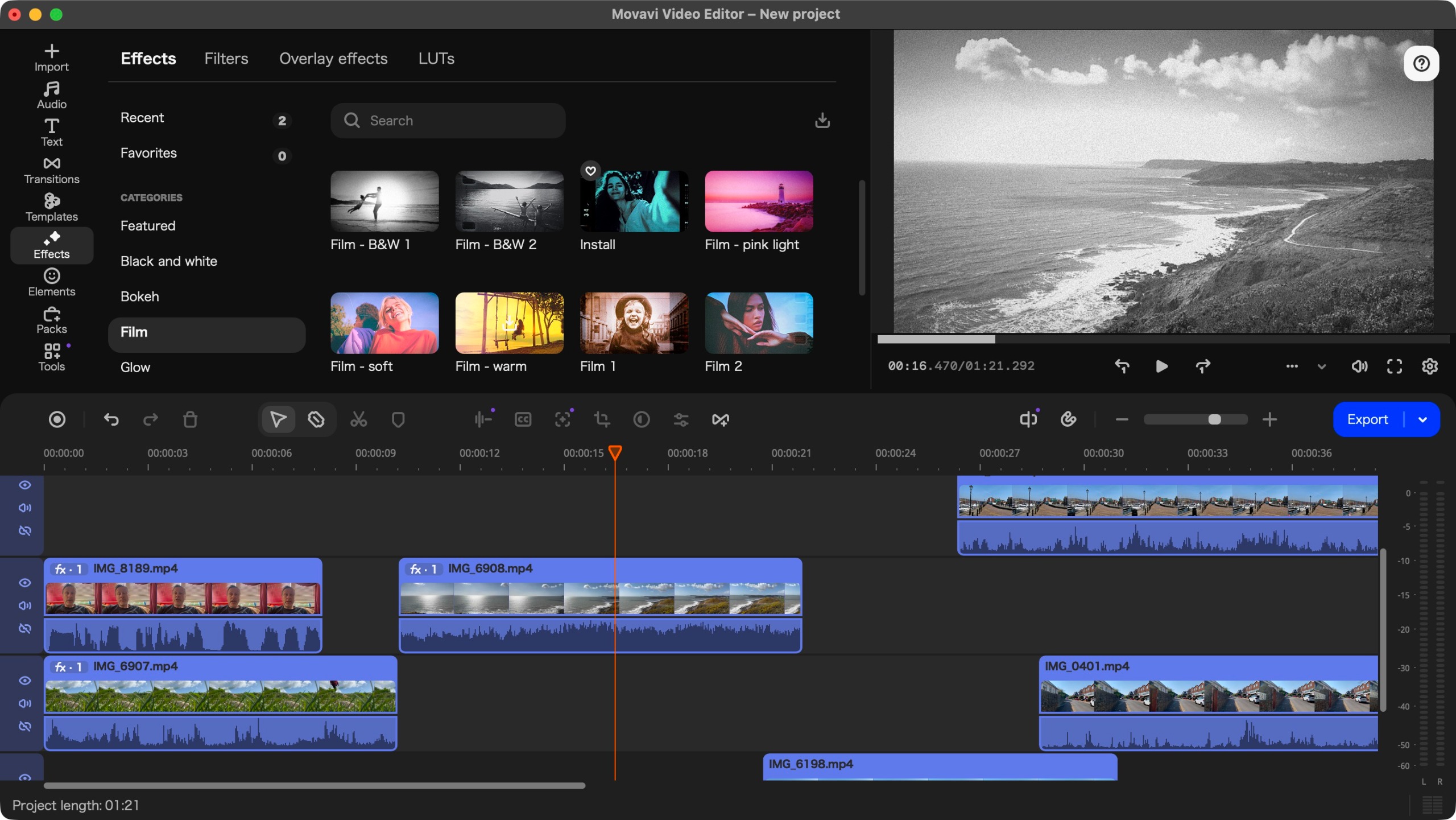
However, Movavi’s support for AI-based tools, such as automated subtitling and background removal, remains best-in-class for this price point. These tools function with a "one-click" simplicity that makes them invaluable for social media creators who need to produce content at scale.
Implications: Who is this for?
The release of Movavi Video Editor 27 has clear implications for the creative software landscape.
For the Aspiring Creator:
If you are a student, a small business owner, or a budding content creator, Movavi 27 is an exceptional investment. It removes the technical intimidation of editing and allows you to focus on the story. The template system, in particular, acts as a creative tutor, showing you how professional pacing and transitions are structured.
For the Professional Editor:
If you are already proficient in Final Cut Pro or Premiere Pro, you might find the "base layer" restrictions and the simplified timeline limiting. Movavi is not designed to replace these tools; it is designed to exist in the space where ease-of-use is the priority.
Conclusion: Final Verdict
Movavi Video Editor 27 is a testament to the idea that professional results shouldn’t require professional-level stress. By building upon a sound, stable foundation and introducing a flexible, highly customizable template system, Movavi has created a product that feels both familiar and forward-thinking.
Reasons to Buy:
- Efficiency: The new template system significantly reduces the time required to assemble a cohesive, professional-looking video.
- AI Integration: The subtitle and background removal tools are incredibly efficient and accurate.
- Affordability: Compared to the high monthly costs of Adobe’s Creative Cloud, Movavi’s perpetual license option offers great long-term value.
- Performance: Excellent optimization for modern hardware, including M-series Apple Silicon.
Reasons to Avoid:
- UX Quirks: The language initialization bug is an unnecessary hurdle for new users.
- Timeline Limitations: The single-track base layer may frustrate users who prefer advanced, complex layering.
Ultimately, Movavi Video Editor 27 is a highly competent, well-priced, and user-friendly tool. It manages the difficult task of offering "pro" features while keeping the "beginner" mindset front and center. Whether you are cutting a highlight reel for your gaming channel or a sleek promo for your business, Movavi provides the path of least resistance to a high-quality finished product.